

60Hz vs. 120Hz vs. 240Hz vs. 480Hz - LCD Response Rate
| Definitions Applications LCD TV Response Time |
Applications
By: Robert Wiley and Jack Burden
First, a note about why LED & LCD TV manufacturers are attempting to increase the effective refresh rate (also called response rate) on their televisions. Well, it stands to reason that there would be no increase if there were not a problem of some sort to begin with. For instance, you never hear of plasma TV manufacturers claiming increased Hz rate technology.
120/240Hz Reviews
See how these refresh rates perform in the real world in these 120 and 240Hz LCD TV Reviews.
Indeed there is a problem – motion lag. Motion lag results when the images displayed on the screen are moving quickly, or in some cases panning side to side slowly. In the former, a subtle blur can be seen on the screen as the LCD TV frame rate conversion struggles to keep up with the speed of the programming content – sports action is a good example of this. In the second case, a jerky appearance called "judder" can appear as the LCD has a hard time accurately displaying the moving image even though it may be moving slowly. This results from a combination of the internal processing chips in the LCD TV and the response rate of the TV.
So manufacturers are doing all they can to eliminate or lessen the effects of these problems. They have recently increased the refresh rate or response time to 120Hz and 240Hz as a premium feature on some of the newest high end LCD TVs. How much does it help?
It does a great deal to cut down on motion induced artifacts – especially with fast motion scenes. It decreases motion lag and judder. However, there are nasty side effects you should know about. When viewing film and broadcast programming in 120Hz/240Hz we see unwanted background noise introduced. Many of the tricks movie producers and programmers employ to create depth and give background information a background look are unraveled and what results is a distracting lack of depth. Cinematography is impaired. In some film reproduction, the background set becomes so clear that you can see the cheap tricks used in the studio to create an effect of say stones in the background. With 120Hz/240Hz you can see that they are plastic. It causes unnatural appearance of the image popping out of the background especially in when foreground characters are moving slowly.
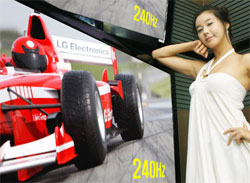 You might think this increase in detail of background information is a good thing, but it gives the content a kitschy, plastic, cardboard cutout look that is very unappealing. This is why we only recommend using the 120Hz/240Hz feature for sports programming and gaming where the increased information works to the viewers advantage. Thankfully, thus far manufacturers have introduced the 120Hz/240Hz feature as an option that can be turned off and on (though not with a discrete button on the remote control). In our recent reviews of the Samsung LN-52A850, the LG 47LH55, and the Samsung UN55B8000 we note instructions on how to turn the 120Hz/240Hz features off.
In 2009 the 240Hz rate specification worked in two ways. Some manufacturers used LED backlight manipulation as a mechanism which produced an "effective" 240Hz "appearance." This was a somewhat ridiculed claim by those manufacturers that produced a true 240Hz refresh rate. Those manufacturers produced a true 240Hz refresh rate by increasing the pixel activation speed in the LCD panels - thus redrawing the screen 240 times per second. Though it seems that this improvement would cut motion blur in half, our testing shows only a marginal decrease in motion blur from 120Hz. Some 120Hz, 240Hz, 480Hz technologies incorporate unwelcome background information into film based material and are only good for viewing fast motion sports programming. Fortunately, in all TVs that we have tested, the Hz rate feature may be turned off. We recommend this with certain manufacturers as of this writing. (See our reviews to find out which manufacturers we recommend this for).
Recently, at CES 2010 a couple of manufacturers have introduced a 480Hz specification on some LED-LCD TVs. As of this writing all of these specifications are of the LED backlight manipulation variety, as opposed to a true 480Hz refresh rate. Thus the question, "Does the 480Hz specification offer an improvement in TV viewing or is it just a stated numerical improvement that has no bearing on the performance of the TV." From our experience, unfortunately we will at this time will side with the latter stance. We will certainly review this new specification with scepticism, meanwhile giving it a fair shot. We suspect it will have about as much impact on picture quality performance as say a contrast ratio specification going from 2 million to 1, to 4 million to 1 - which we have proven as specification eyewash (see article Contrast Ratio: Are Manufacturers Specifications Important). Just because the specification is there, doesnt make it so.
So just to sum it up. In 2008 there was an increase from 60Hz rate to 120Hz rate in LCDs. In 2009 there were two varieties of Hz rate improvements to 240Hz, and in 2010 we saw a manipulated LED backlight specification to 480Hz inrtoduced. The improvement from 60Hz to 120Hz is the most significant of these and the one showing the most dramatic reduction in motion blue and a smoother side to side panning. The true 240Hz rate improvement in 2009/2010 gives a marginal increase of 30% better than the 120Hz. As of this writing we predict the 480Hz LED backlight manipulation specification will not yield an actual improvement in picture quality performance. A true 480Hz refresh rate has not been introduced. We believe this would improvement would result in a 15 to 20% improvement over the 240Hz rate spec.